We built the thing you’ve been asking for
Managing leave? Sorted. But building rotas every week, from scratch, is not what you signed up for.
We heard you. Rota & Time Clock is coming to Timetastic.
- Build your rota in minutes, not evenings.
- Rotas, time tracking, and leave in one place.
- Clock-in, clock-out. No paper. No guesswork.
- Your team gets notified on their phone the moment you publish a rota.
No commitment. Just early access.


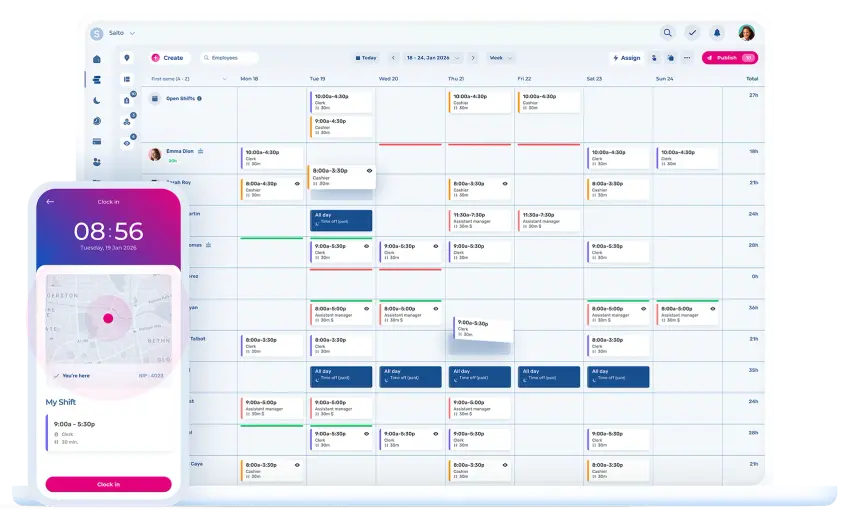
How do you manage staff rotas without losing your evenings?
Get Timetastic, now with rotas and time tracking
Your employees, your departments, your leave data, now with scheduling and time tracking built in. So you spend less time on the rota, and more time on the work that actually needs you.


One rota, all in one place. Always up-to-date.
No more spreadsheets. Just simple scheduling your team simply can't ignore.


Clock in, clock out. The timesheet writes itself.
Your team clocks in from their phone. Their hours are recorded automatically.


Fill last-minute gaps without the panic.
Post an open shift, and the right people get notified instantly.
What does a good rota planner actually do?
Build workforce schedules in a few easy clicks

Publish once, notify automatically
When you update a rota, only the affected employees get notified. No mass messages. No manual follow-ups.

Know when employees see a scheduled shift
See exactly who has viewed their shifts and when. No more "Nobody told me."

See availability, positions, and days off in one view
Get everything you need to build a fair rota on one screen. Eliminate cross-referencing spreadsheets, calendars, or message threads.

Post open shifts, to the right people
When someone cancels, post the shift and only qualified, available employees get notified, instantly. No ringing round. No pleading.


How do rotas connect to timesheets?
Time and attendance tracking that picks up where your rota leaves off


Clock in from anywhere
Mobile punch, geolocation, and clear shift visibility.

Timesheets that build themselves
Hours are tracked in real time, ready without manual work.

Payroll-ready in a click
Export accurate data, no surprises on payday.

Stay on top of attendance
Spot delays, absences, and overtime at a glance.
Easily export to your current payroll integration




HR workforce management software for small businesses
Your go-to HRIS system


Simplify employee onboarding and integration
Welcome your new hires, populate their HR records, and assign onboarding tasks, all in one convenient place.

Bring your file cabinet online, without the mess
Store documents, share them with your team, and get signatures back. Great for contracts, policies, and performance reviews.

Create surveys, get great feedback
Share internal surveys with your team in seconds to get the facts right before making big decisions.

Recognise your team’s good work
Easily highlight the everyday wins that too often go unnoticed; a little recognition goes a long way.
Professional workforce communication tools
Communicate with your team more effectively

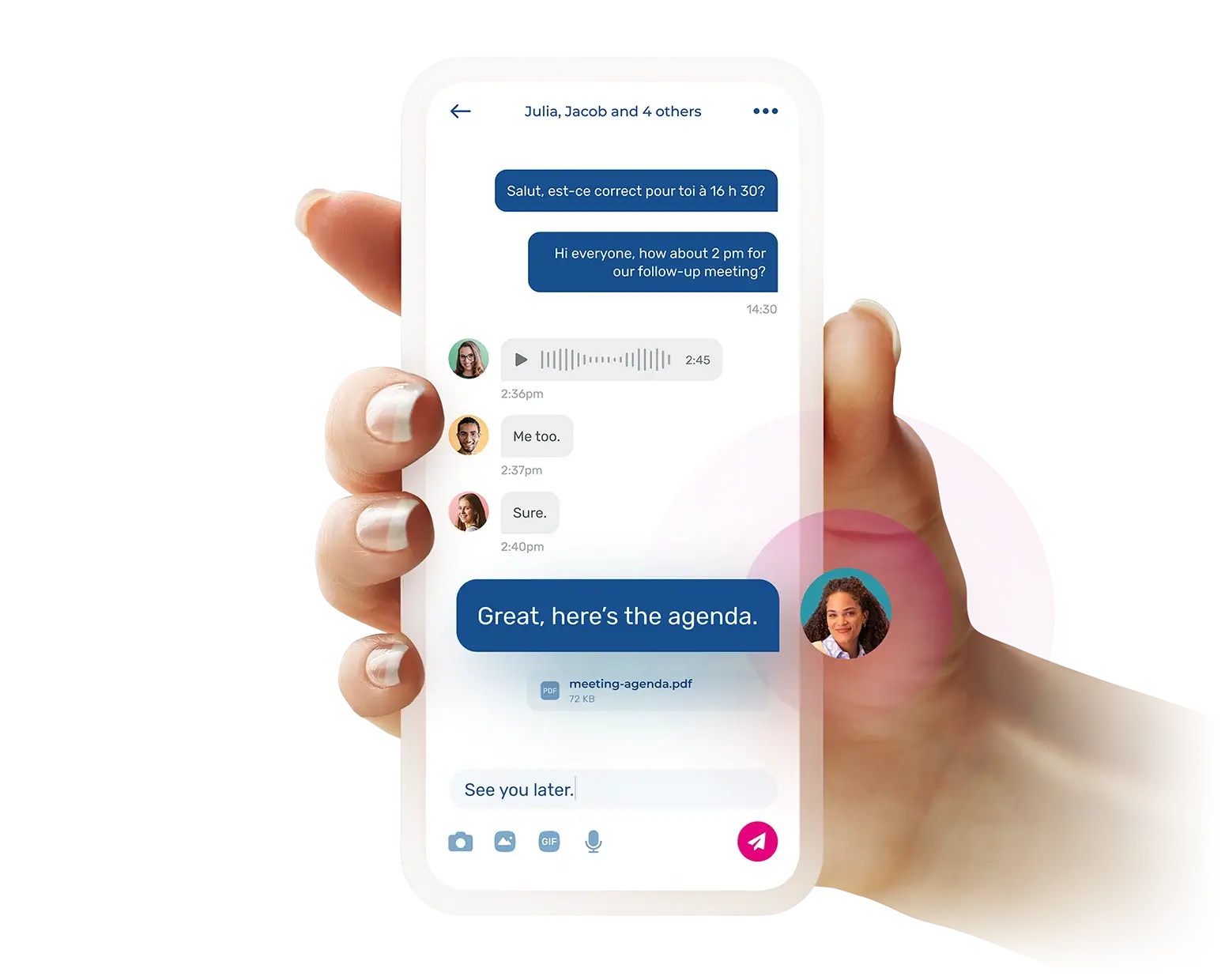
One app to message them all
No more work messages across multiple apps, Slack, Microsoft Teams, WhatsApp, and so on.
Be heard and make your team feel heard
Wave goodbye to uncertainty with read receipts. Enable employee comments for feedback on announcements.

Eliminate chaos, boost collaboration
Set up one-on-one or group chat rooms with your staff to simplify team communication and cut out noise.

Everything they need to know, in one place
Announce updates, policies, and documents to your entire organisation or to specific subgroups.

How to get started with rota and time clock software?
From waitlist to Rota & Time Clock in 3 steps


Join the waitlist
We’ll let you know the moment Rota & Time Clock is live.

Sign in and data migration
For Timetastic users, we carry over your roster, bookings, and leave data for the current year. Setup only takes a few minutes.*

Enjoy your first 30 days, our treat
Full access, no commitment. Just your rota, working.
- Try Timetastic
If you are a new user, you can start a free trial of Timetastic, and you’ll be set up and ready when Rota and Time Clock goes live.
The simplest HR solution for busy managers
Built with the input of people who actually give a shift
We’ve been working closely with our most proactive Timetastic admins—leaders who’ve been managing shifts and rotas for years. Here are their most recent Review.io insights.
I've been saying it over and over again recently. Timetastic is brilliant — really feel like the founders sat down and said “what is a real pain about managing leave/holidays, right, let's fix it. All of it.”
We started using Timetastic a couple of months ago and it is brilliant. It is so easy to customise and so easy to use. The team love it and I love not having to constantly update an excel spreadsheet! It is also exceptional value for money.
So much easier to keep track of time off now, and the whole team can view it which means clashes are avoided, and with the working from home feature we don’t need to worry if someone hasn’t arrived at the office.
We have found Timetastic very useful with staff holidays. It is easy to use for the employee and excellent to use for the employer to add in sick days and unpaid leave etc. It also reminds you weekly of who is off, so you can always see who’s off in the week at the start, helping book jobs in around them.
A simple to use platform. Fantastic for a small team at a great price point. As an administrator, it is easy to onboard the team and manage their leave allowances. Approval system is seamless. Customer service has been very prompt and professional. Highly recommended.
Very simple to use. The team love it. It provides the data I need and has saved me time.
Timetastic is a game changer for our vacation and timeoff management. With the easy to install app and the detailed inventory of our multiple types of leave, it brings our vacation management out of the dark ages. Awesome tool that our HR department is thankful for.
It's user-friendly and intuitive for an admin user and normal users. Reporting is helpful. The burnout function is really useful.
Frequently asked questions
Yes. You get full access for 30 days free. Your existing Timetastic data for the current year carries over automatically. If it’s not for you, nothing changes, you’re back to your previous Timetastic plan as it was.
Rota software lets you build, publish, and manage your team’s shift schedules in one place. Time clock software tracks when your team clocks in and out and turns that data into timesheets. Together, they replace spreadsheets, paper rotas, and manual time tracking with one system that handles scheduling, attendance, and payroll prep.
Most rota tools start you from scratch. New account, new login, new app for your team. Timetastic already has your employees, your leave data for the current year, and your leave types. Rota & Time Clock adds scheduling and time tracking on top of what you’ve already built. No setup. No starting over.
Built with simplicity in mind just as our previous plans, guided by the feedback of many managers and admins who truly understand the daily challenges you’re facing.
It’s coming soon. Join the waitlist and we’ll notify you the moment it’s live.
From a mobile device, shared tablet, or desktop computer. They open the Rota & Time Clock app, tap clock in, and that’s it. Managers can see who’s clocked in right now and who isn’t. Every clock-in is tied to the shift on the rota, so you’re not matching up separate systems later.
They’re automatic. Every time an employee clocks in and out, a timesheet entry is created. At the end of the week, you review the full timesheet, adjust anything that needs adjusting, and approve. No chasing. No manual entry. No spreadsheet.
Yes. Hours, overtime, and absences export cleanly to your payroll software. No re-typing, no copy-pasting between systems. The data is formatted and ready when payroll day comes.
No. The built-in communication feature lets you and your colleagues set up one-on-one or group chat rooms with any other team member. The iCal integration remains available.
Launching soon
Get your weekends and evenings back
Rota & Time Clock is coming.
No pressure. Just early access.